
Parallels Desktop
Parallels Desktop 26 Activation — Must Read
WARNING
Currently supports the latest PD 26 for both Intel and Arm64 architectures.
In the future, all Parallels Desktop releases will only be distributed as complete dmg files. Users simply need to download the pre-cracked dmg and install it directly for an activated version, with no manual injection required.
Notes
- Currently supports the latest PD 26 for both Intel and Arm64 architectures
- No noticeable issues after cracking; the experience is equivalent to a genuine license.
- Keyboard not working? Turn off Game Mode optimization! Or restart your Mac — this is an official PD issue, don't ask me!
- Follow the Telegram @qiuchenlymac channel for the latest firsthand information!
Usage
Download the latest PD cracked package from the QiuChenly channel. If you can't find it, search #PD to download the latest released dmg file.
This document may not be updated in real time; please refer to the channel's related announcements.
Compared to the official dmg, the following optimizations have been made:
- No longer forces a check for newer versions during installation.
- No longer displays the user license agreement. I'm using a pirated version, so I don't need to comply with their agreement.
- Direct installation gives you the cracked version.
Usage notes: After running the ARM installer, it may prompt that the developer cannot be verified. This is due to macOS security mechanisms. The solution is simple — first click Cancel.
- Open Settings
- Privacy & Security - Security - Blocked - Click "Open Anyway"
- Click install again to display a new window, then click the "Open" button.
Note: If the app shows it cannot be opened, first eject the dmg image, then run xattr -cr xxx.dmg on the dmg file and remount it to make it work normally. If the problem persists, directly sign the dmg file.
Troubleshooting
If you encounter issues installing the direct-install cracked dmg, please refer to this section.
- Apple cannot verify that "Install.app" does not contain malware that may harm your Mac or compromise your privacy.
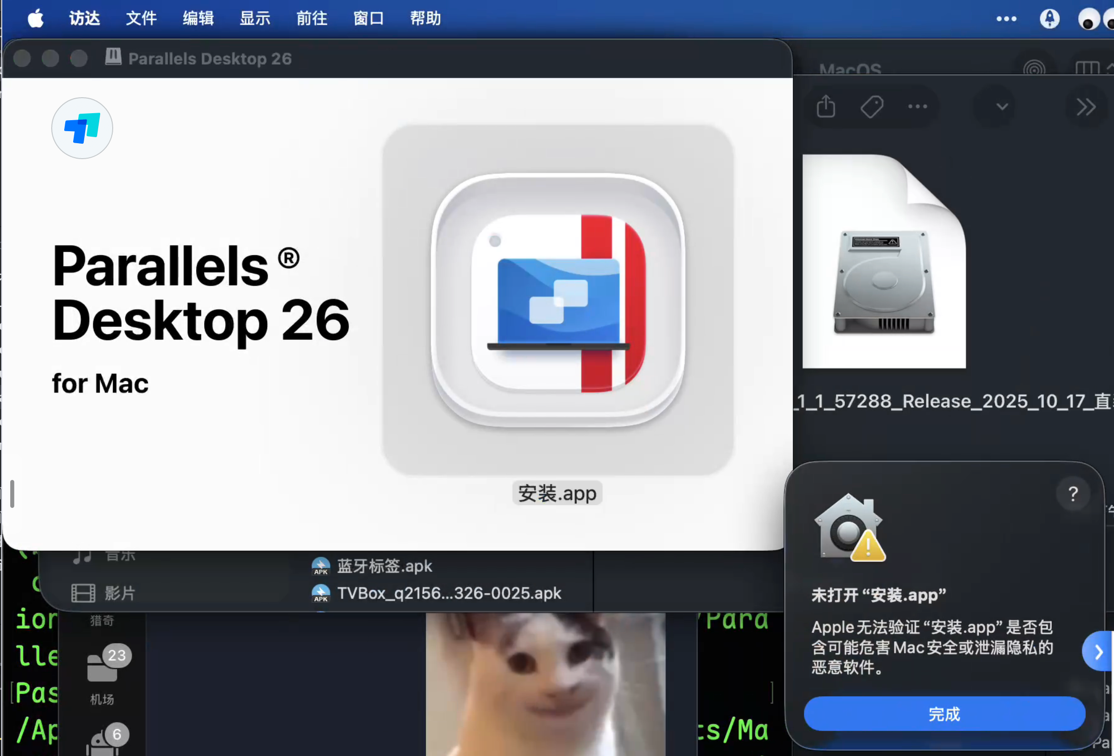
- Solution steps:
- Eject the dmg image
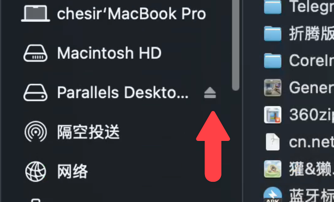
- Open Terminal
- Run the command, copying the full dmg path: Hold the Option key on your keyboard and right-click the file to reveal this option.
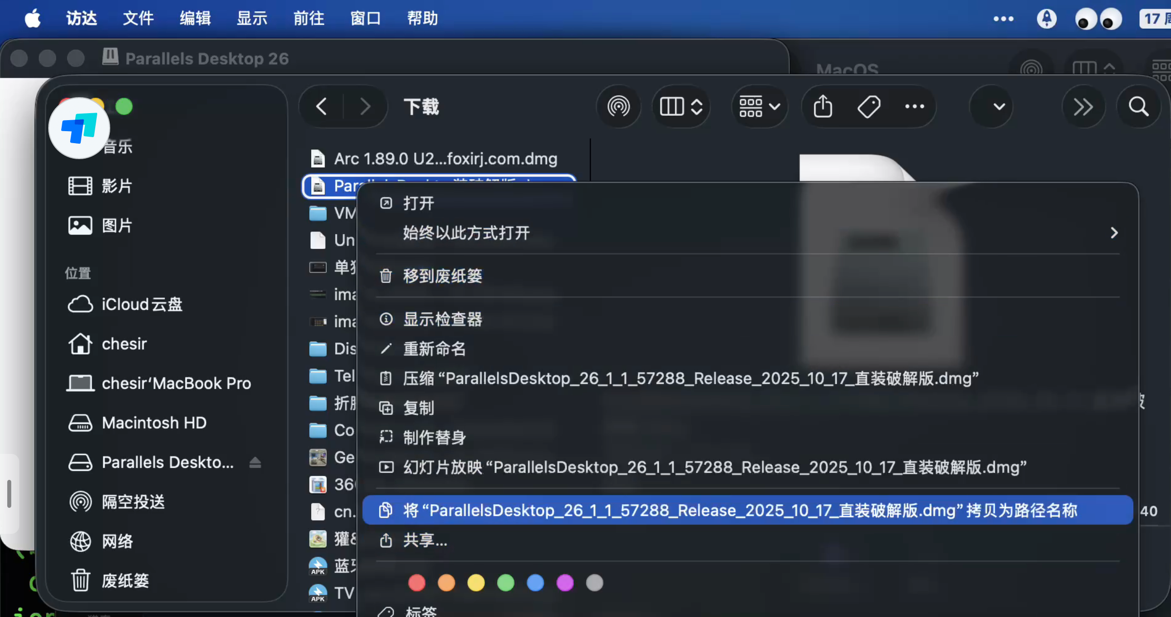 bashResult as shown:
xattr -cr {copied full file path}/ParallelsDesktop_26_1_1_57288_Release_2025_10_17_direct_install_cracked.dmg codesign -fs - {copied full file path}/ParallelsDesktop_26_1_1_57288_Release_2025_10_17_direct_install_cracked.dmg
- Reopen the dmg file and proceed with installation normally.
- Eject the dmg image
Important Notes
- Prioritize dmg, tar.gz, and zip packages released on the official QiuChenly channel
- Do not arbitrarily trust or download repackaged resources from unknown third-party sources